After selecting the appropriate controllers and completing proper wiring, the next challenges involve programming complex lighting shows, enabling offline operation, and quickly resolving lamp malfunctions. This article covers software control, mobile apps, troubleshooting flicker issues, fault isolation techniques, the master-slave control architecture, and addressing principles.
Introduction
After selecting the right controller and completing proper wiring, the next challenge lies in programming complex light shows, enabling standalone operation, and rapidly fixing anomalies when fixtures misbehave. In this second part, we delve into software control, mobile apps, random flicker troubleshooting, fault isolation methods, master + slave architecture, and the principles of addressing.
Section1. Control & Programming
Q1: Does the controller support PC software programming? What formats can be imported? How can I edit complex light shows?
Using Seekway Innovation controllers with LED Player or Magic Player enables timeline-based editing, layer compositing, and 3D preview. These controllers are also compatible with professional lighting software like Madrix and Resolume Arena. You can import video files (e.g., MP4, AVI) which are automatically mapped to the fixture array, achieving video-grade light shows.
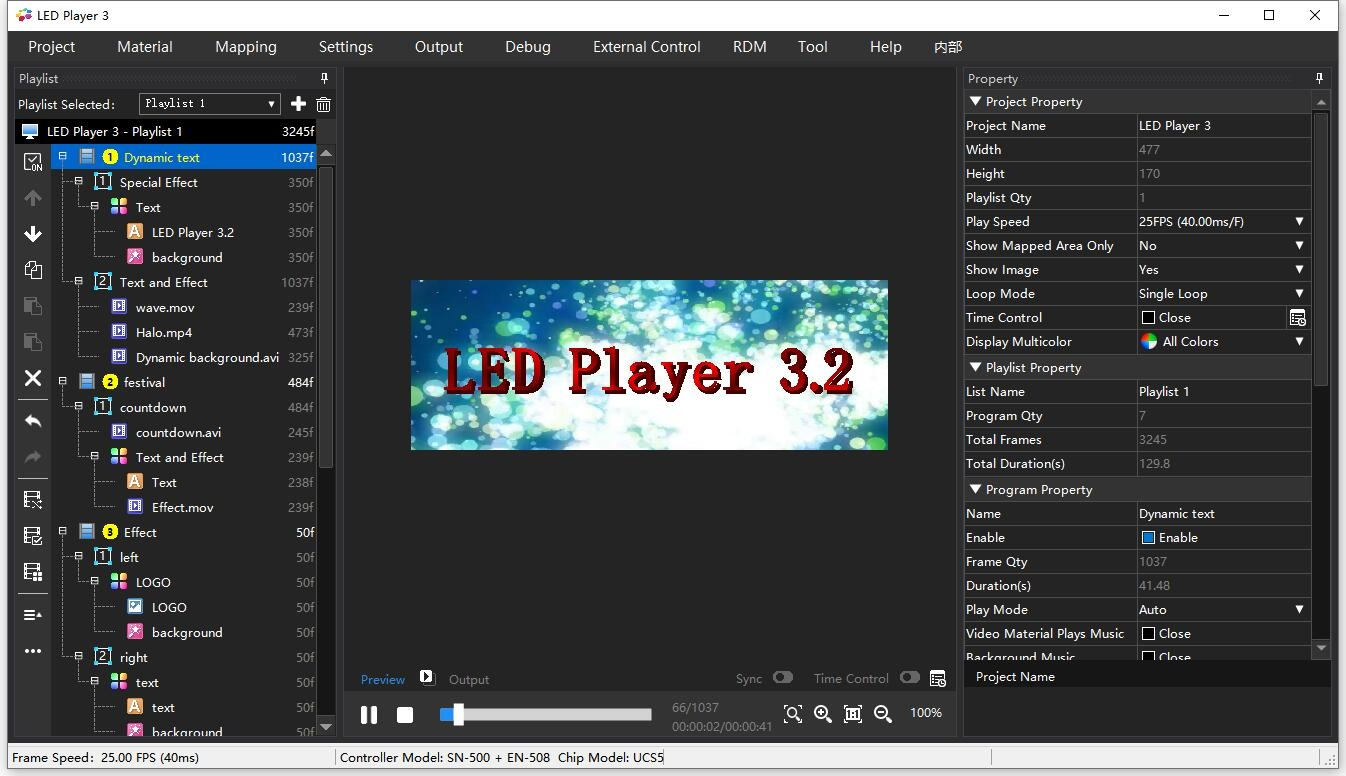
LED Player from Seekway Innovations
Want to learn more about the LED-Player3? Click the link below to view the details.
Q2: Is standalone operation supported? (Once programmed, can the controller play back effects independently without a computer connected?)
Yes, Seekway Innovation controllers support standalone operation. Simply store the edited effect files onto the controller's internal memory, SD card. Upon power‑up, the controller will automatically loop the preset effects—no PC required.
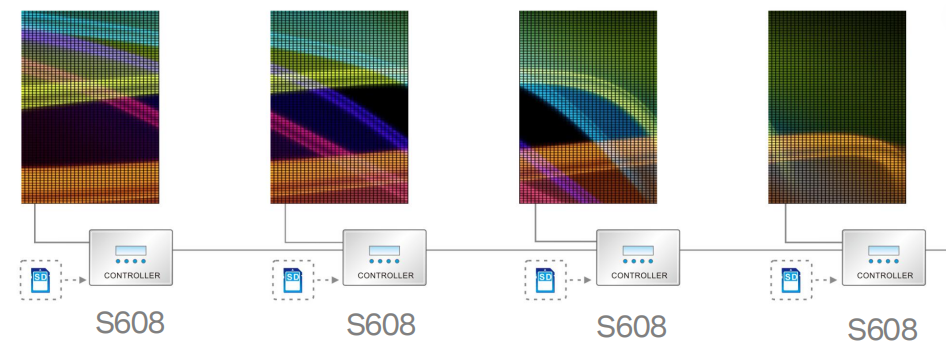
Offline operate by Seekway’s controller
For more information about the Seekway Innovations offline controller, click the link below.
Q3: Is mobile App control supported? Does it work over local network or require a cloud platform?
This depends on the controller model. We have eSeeker App design by Seekway Innovations. Some controllers support local control via Bluetooth with a mobile app. We also offer cloud platform integration for remote control, scheduled tasks, and status monitoring.
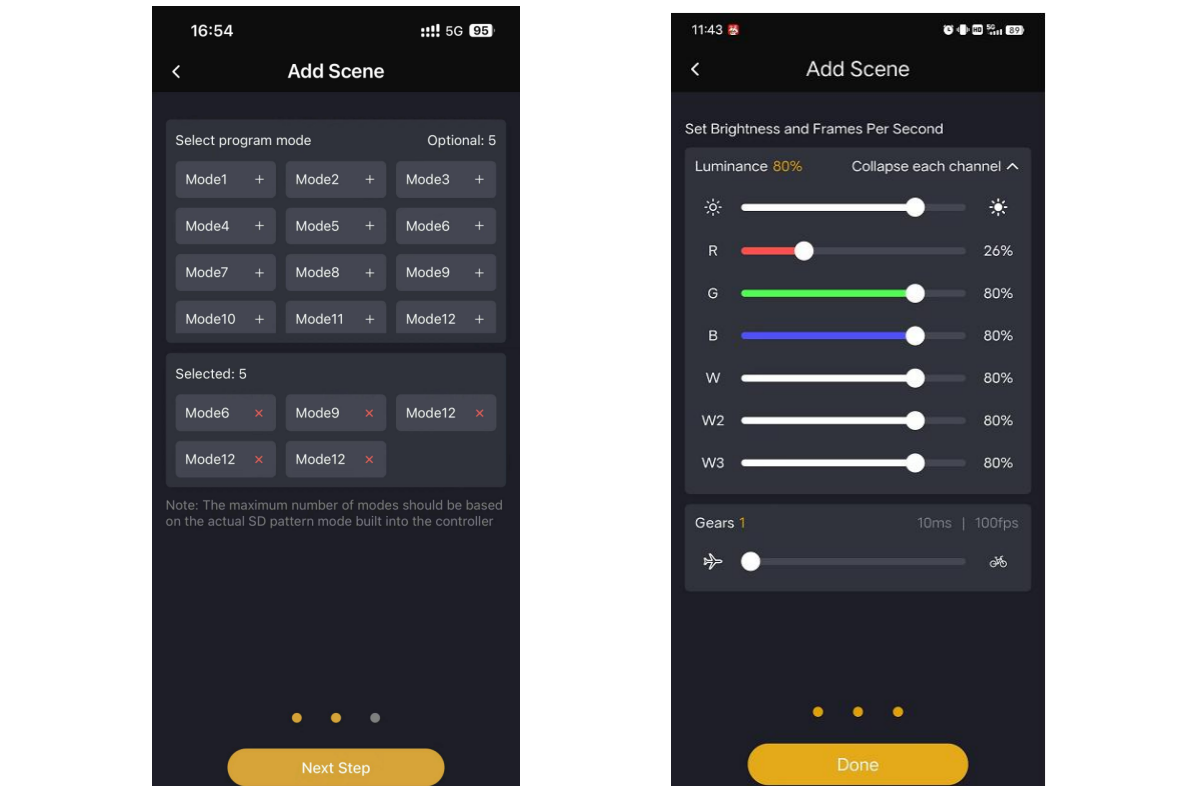
eSeeker App By Seekway Innovations
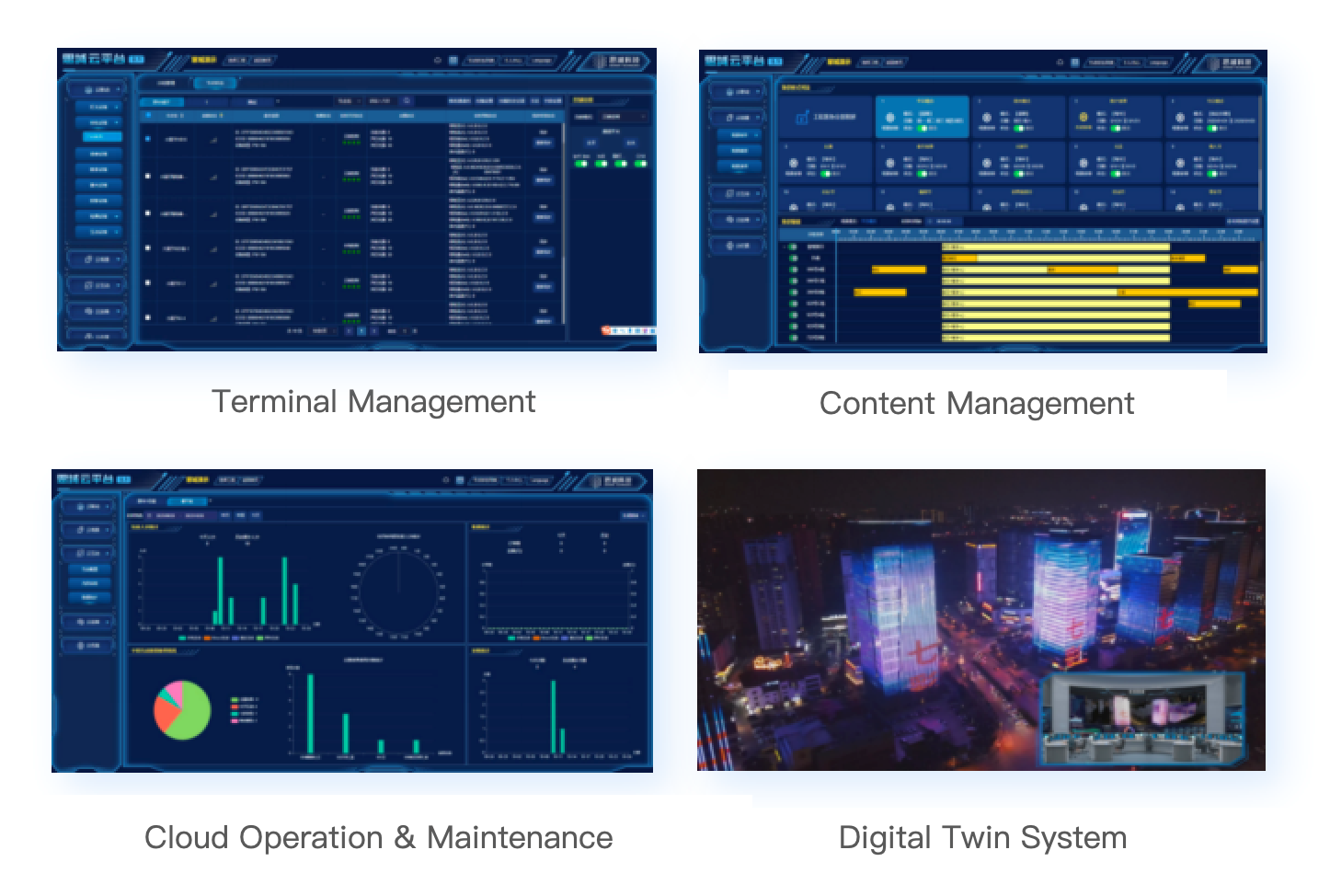
Cloud-Based Control System by Seekway Innovations
Section2. Troubleshooting
Q4: Why does the LED strip flicker randomly or behave uncontrollably?
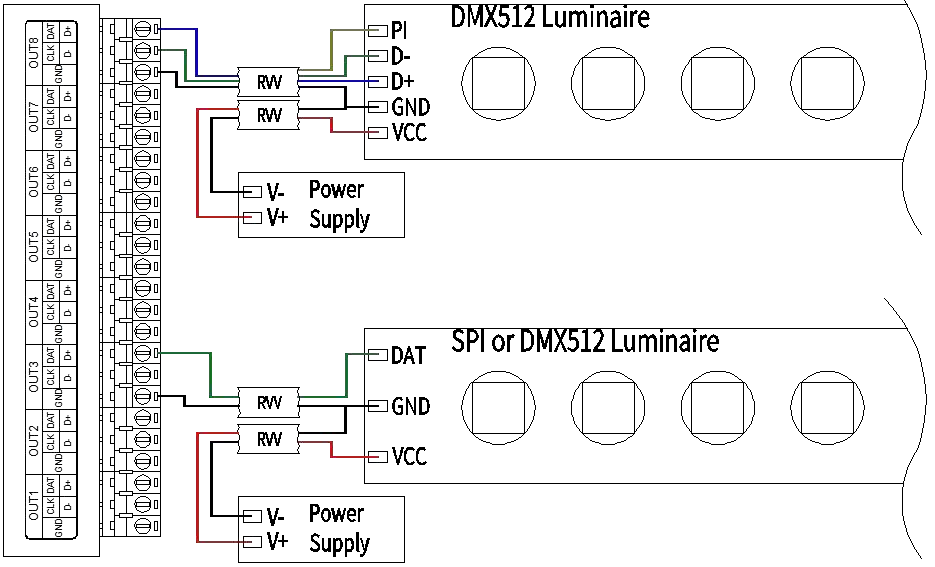
This is the most common issue in SPI/DMX systems, typically caused by the following:
> 1. Reversed signal wiring (DATA and GND swapped);
> 2. Missing common ground (controller GND not connected to power supply GND);
> 3. Excessive transmission distance leading to signal attenuation;
> 4. Missing termination resistor (DMX systems require a 120Ω resistor at the end of the line);
> 5. Electromagnetic interference (signal cables running parallel to 220V AC lines);
> 6. Insufficient power supply or voltage fluctuation.
> Troubleshooting tip: Start from the signal source and check wiring and signal waveform segment by segment.
Q5: If a section of lights is completely dead, how can I quickly determine whether the issue is a failed power supply, dead pixels, or a damaged controller port?
We recommend the substitution method:
> 1. First verify that the power supply for that section is delivering correct voltage (use a multimeter on the output terminals);
> 2. Connect the affected fixture to a known‑good port on the controller. If it lights up normally, the original port may be faulty; if it remains dark, the problem lies with the fixture or its power feed;
> 3. Connect a known‑good fixture to the suspect port to further confirm port status.
> Additionally, a signal tester or oscilloscope can be used to check for data output at the port, quickly pinpointing the failure.
Section 3. System Architecture & Addressing
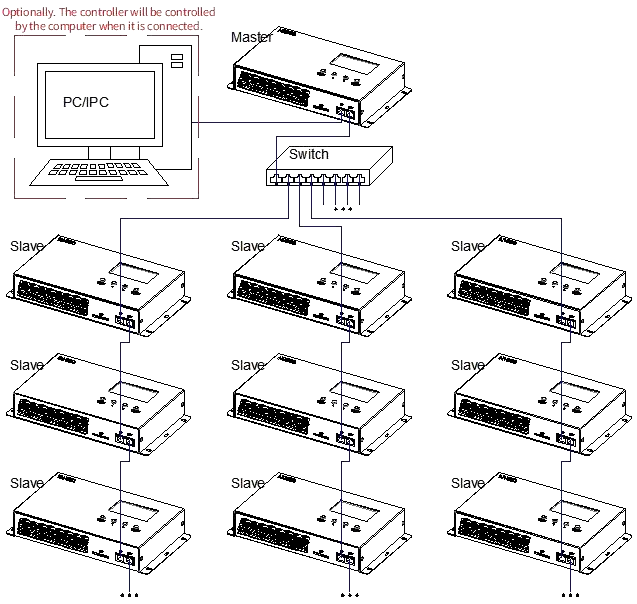
Q6: Should I choose a "master + slave/sub‑controller" topology or an "all‑in‑one" controller? Which offers higher stability?
Master + Slave/Sub‑controller mode suits large‑scale, distributed systems: the master handles show programming and synchronization, while multiple sub‑controllers are installed near the fixtures. Each sub‑controller drives its own loads independently and communicates with the master via long‑distance data cable or fiber optics. This architecture offers flexible wiring, robust signal integrity, and excellent fault isolation.
All‑in‑one units integrate all functions into a single device, ideal for small‑to‑medium projects or centralized installations. For mission‑critical engineering projects, the master+slave architecture is recommended due to easier maintenance and scalability.
Q7: What is "addressing"? Why do lighting controllers need addressing?
Addressing is the process of assigning a unique "identity ID" to every fixture (or every pixel) in the system. In a DMX512 system, the controller sends signals containing address information to instruct "the light at address 1 to dim, the light at address 2 to turn red," etc. Without addressing, the controller cannot distinguish which fixture should execute which command—all lights would act in unison, making independent control impossible. Addressing is the foundation of point‑to‑point precise control.
Conclusion
Modern LED controllers offer powerful programming tools, standalone playback capabilities, and flexible system topologies. When issues arise, methodically checking common grounding, signal integrity, and power delivery will resolve most faults. Understanding the principles of addressing unlocks the full potential of pixel‑level control.
Want to learn more? Feel free to contact Seekway Innovations—we'll provide you with professional and comprehensive technical guidance. Click the link below to visit our official website.




