
2026-05-07

Are you still frustrated with complicated lighting controllers? Seekway Innovations has launched the eSeeker smart lighting control platform, which completely overturns traditional control methods through two forms: a mobile APP and a WeChat Mini Program. Using Bluetooth BLE technology, it seamlessly connects your phone to the Art-Net controller, enabling precise single-light control or group control within a 10-meter range. Whether for commercial spaces, exhibition design, or creating a home atmosphere, eSeeker makes every beam of light obey your command. This smart lighting controller truly puts the power of Bluetooth LED control in your pocket.
Take the Seekway A608 Art-Net controller as an example, the eSeeker APP becomes your professional lighting console. It’s not just about switching lights on and off — it turns illumination into programmable visual art and lighting effect creation.
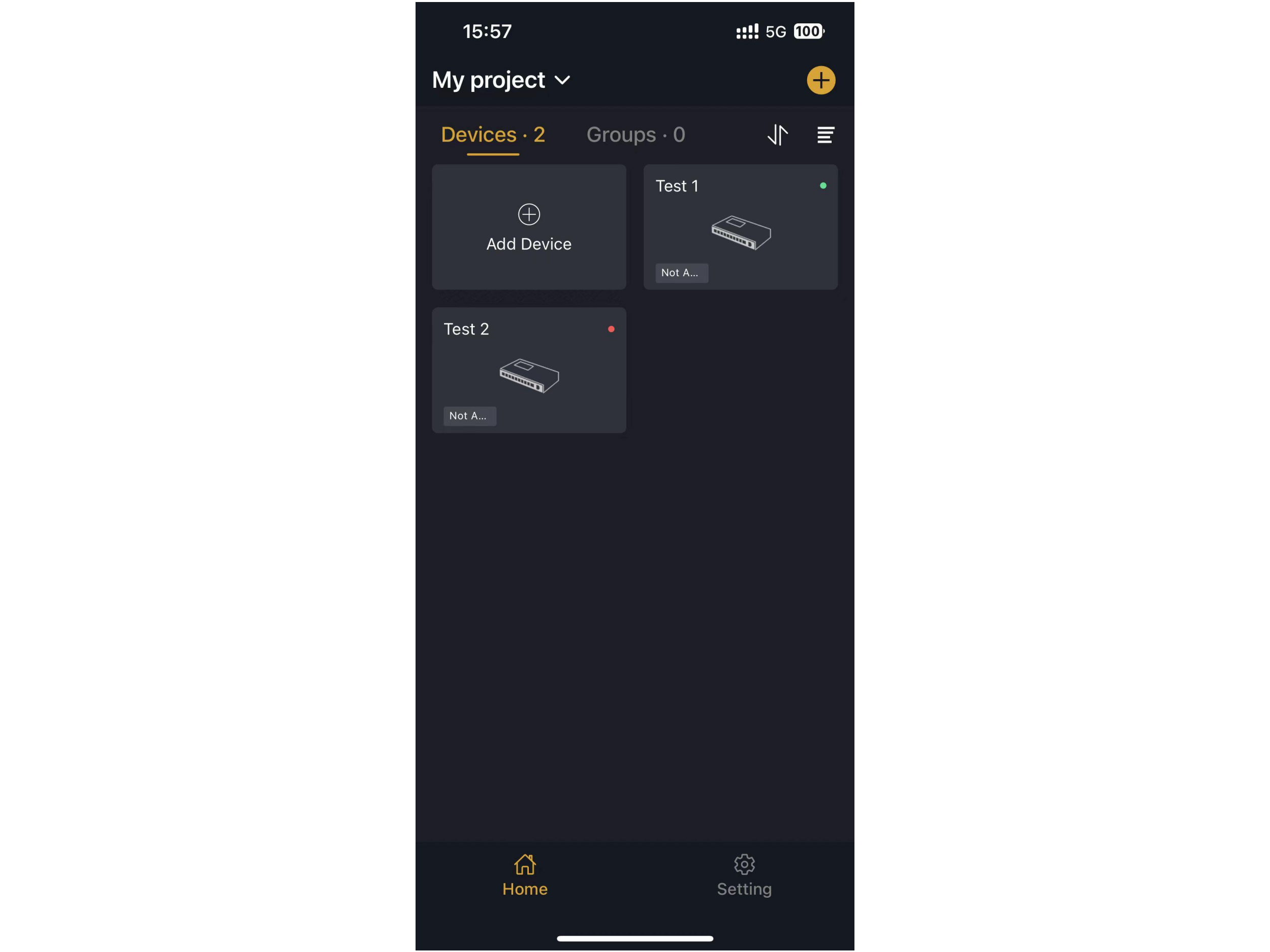
Batch add devices, create a Control Hub, and group up to 5 devices. Once you assign a master device, all slave devices synchronize and execute commands instantly, freeing you from tedious one-by-one operation.
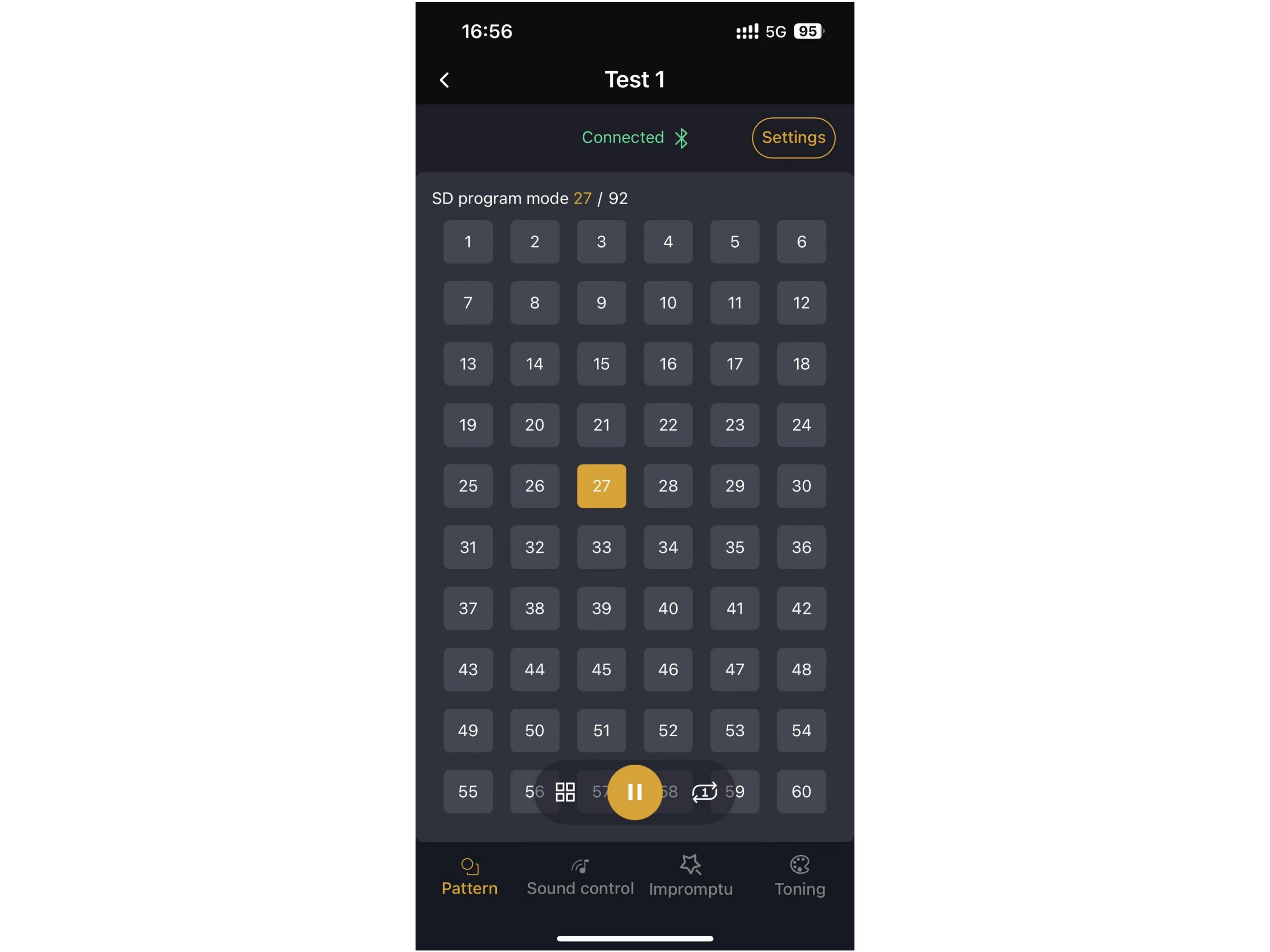
Directly read the picture and sound programs stored in the controller’s SD card. Switch between spectrum sound-activated, dynamic sound control, and other modes with a single tap. You can also manage playback, pause, and loop modes — a favorite for DJs and lighting engineers seeking top-notch voice-activated lighting effects.
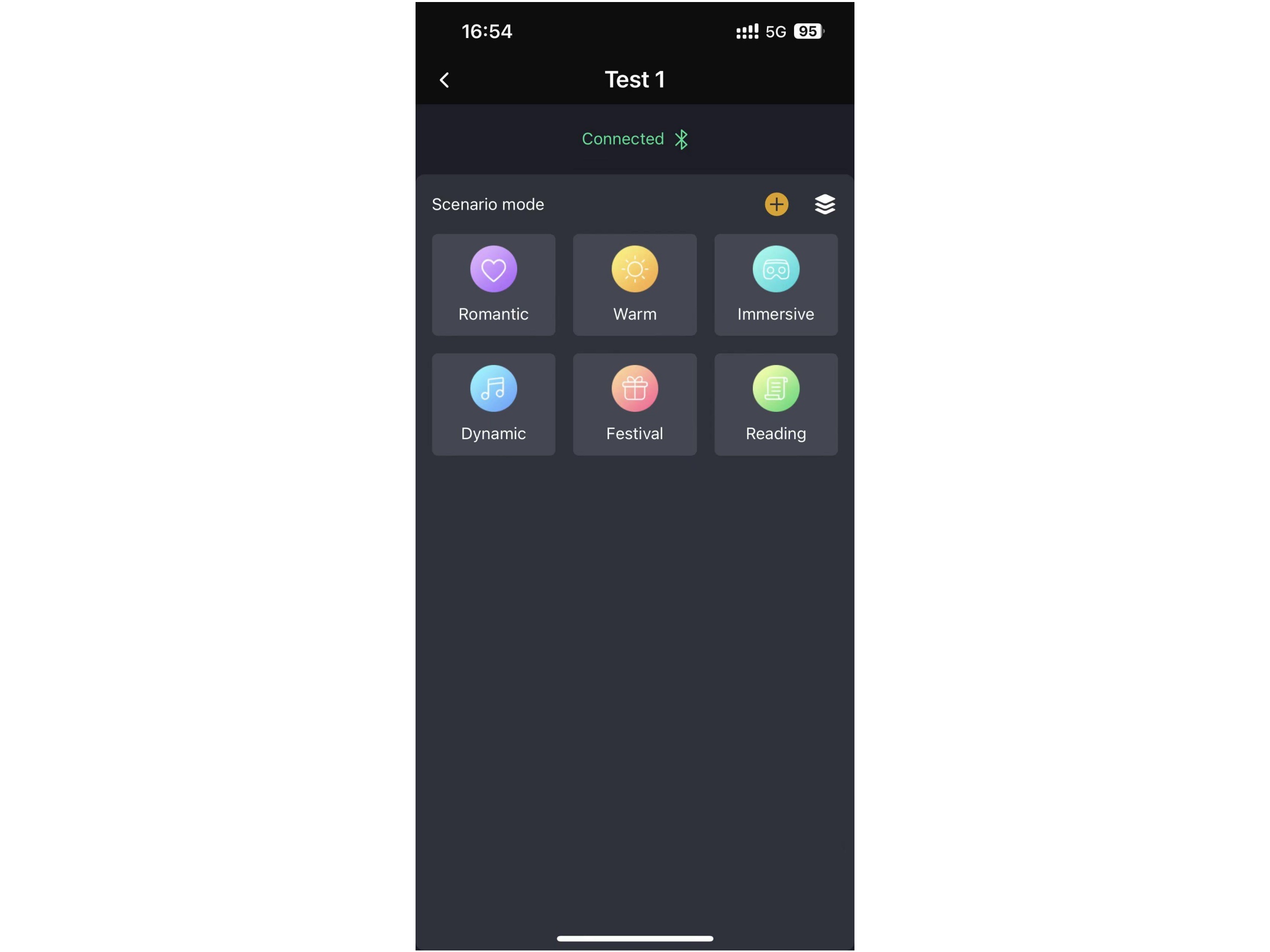
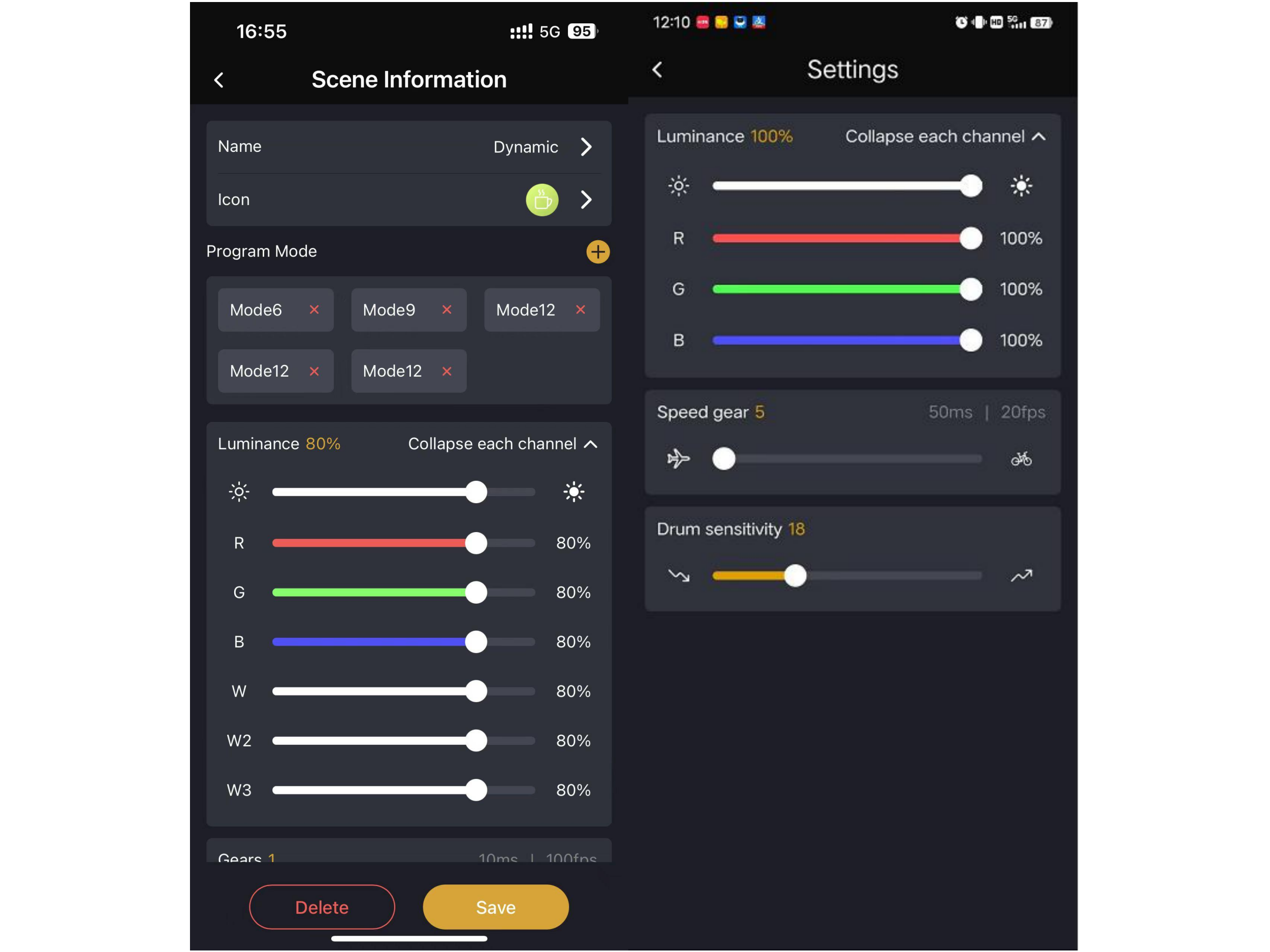
Built-in preset scene lighting modes like Romance, Festival, and Reading are ready to play and cycle automatically. You can also freely create custom scenes with your own brightness, frame rate, and display range.
Adjust frame rate, brightness, and mic sensitivity in real time. With full-channel RGB color tuning, even the tiniest color deviation can be corrected. Practical tools like device identification, black screen/white screen, and password management are also included.
For users who don’t want to take up phone storage, the eSeeker WeChat mini program is the perfect alternative. There’s no need to download or install — just open WeChat and go. It’s lightweight but far from simple.
Switch between a daylight wake-up glow and a soft late-night light in one tap. The Atmosphere Zone offers popular effects that play instantly, while the Immersion Scene lets you freely combine multiple effects for linked looping — truly smart scene lighting on the fly.
Voice-activated lighting dances to the rhythm of your music. Brightness and cycle modes are adjustable at will. Save your favorite effects to your collection for quick recall next time.
One-Tap Effects offer built-in common effects; Free Color Tuning provides an RGB color disc for real-time adjustment; Custom Creation allows you to set colors, effect types, and playback duration, even generating your own dedicated steady-light mode — the ultimate lighting effect creation sandbox.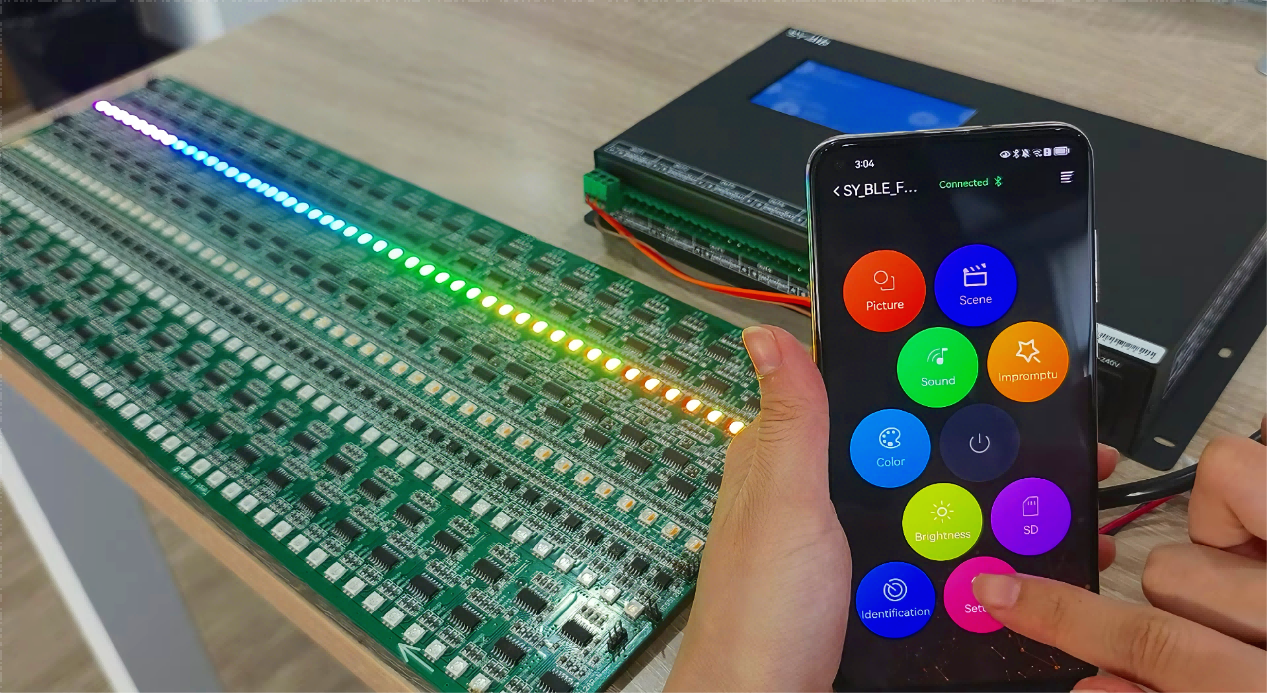
For professional functions: Choose the eSeeker APP. Deep features like SD card sound-control switching and sensitivity parameter tuning meet the demanding needs of professional lighting designers who require precise Bluetooth LED control and RGB color tuning.
For speed and convenience: Choose the WeChat Mini Program. It takes up no phone storage, integrates with the WeChat ecosystem, and makes project handover and sharing with friends a breeze.
Whichever you choose, you can find the corresponding hardware and the latest software version on the eSeeker product series page.
eSeeker uses a Bluetooth queue command mechanism to send instructions to grouped devices one after another. It is recommended to connect no more than 5 devices simultaneously. Older phones may want to reduce the number of devices in a group control setup. If data loss occasionally occurs, simply resend the command. Important reminder: Deleting the APP or Mini Program will wipe all local data, so be sure to confirm your backup before doing so.
From cumbersome physical switches to fingertip smart lighting control, eSeeker, through its APP + Mini Program dual-terminal matrix, allows both professional lighting designers and everyday users to effortlessly master the ArtNet Controller. It’s more than a tool — it’s a design instrument that elevates light into an emotion-shaping element for any space. Visit the eSeeker product series page now to choose your control solution and begin your colorful journey of scene lighting, voice-activated lighting, and boundary-free lighting effect creation.Want to learn more about eSeeker? Feel free to contact Seekway Innovations for inquiries.


